
Early Access
Open work. Close it again.
Your work phone. Without the second phone. Keep work calls, messages, email, contacts, files, photos and browsing in a separate workspace on the phone you already own — with room to keep other parts of your digital life organised too.
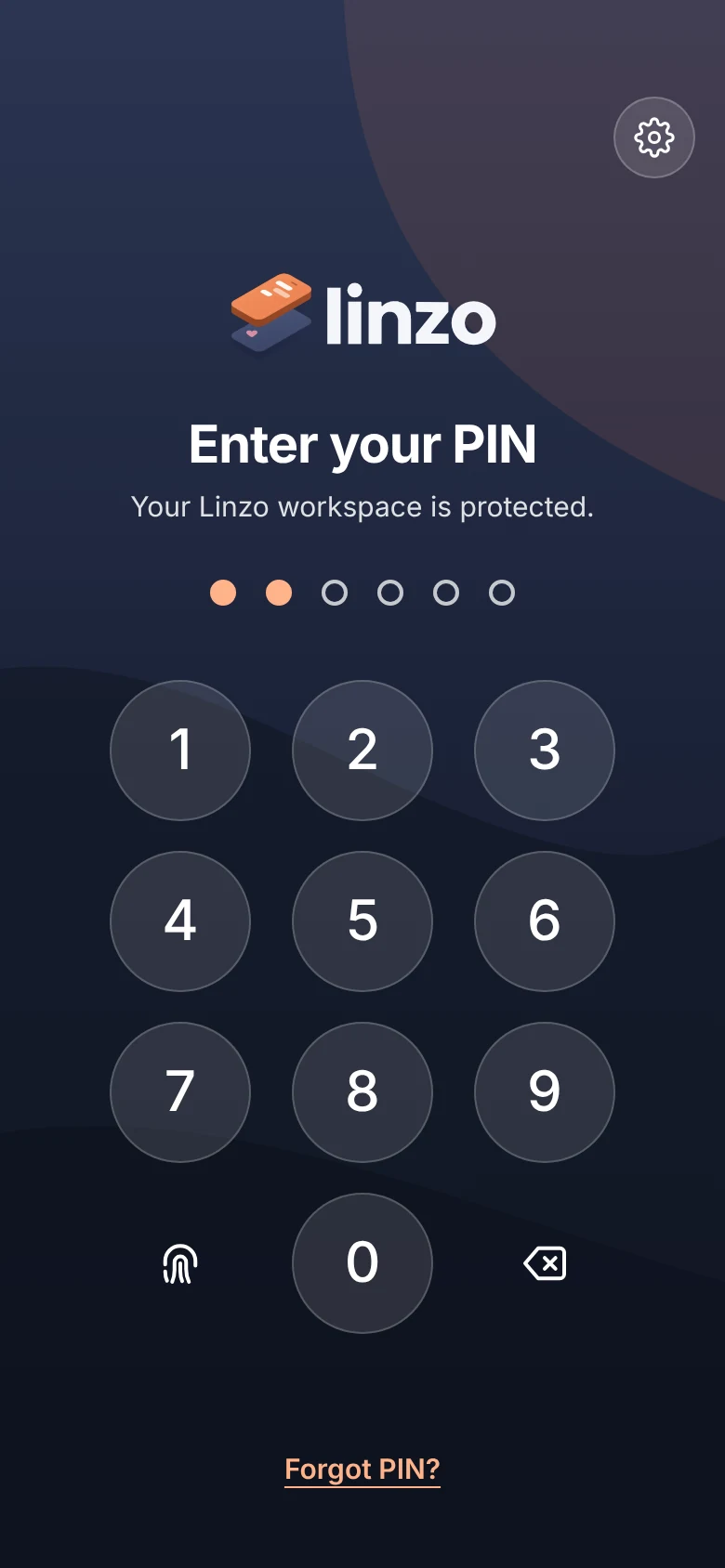
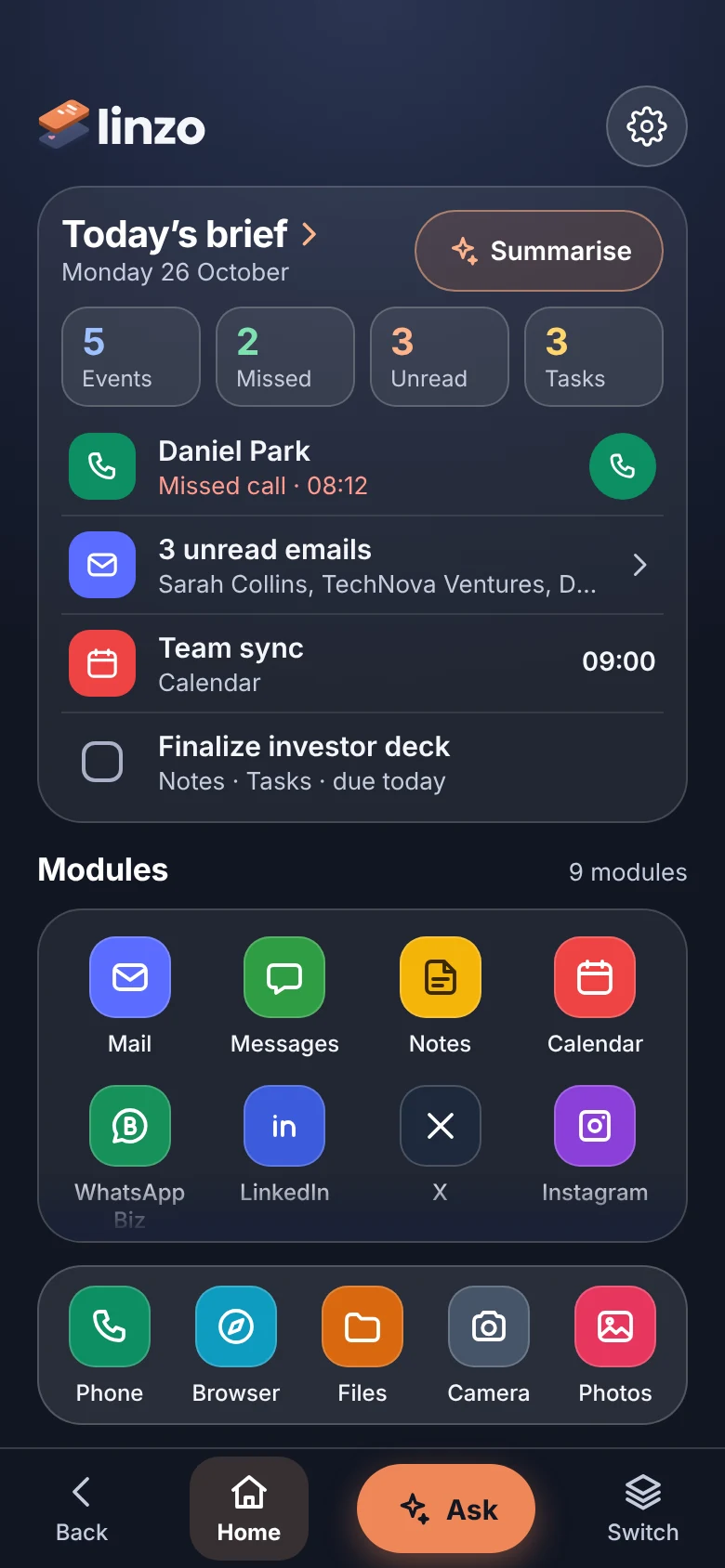
Locked. Work is out of the way.
One device • Separate workspace • iPhone & Android planned. No payment taken.
Plus an AI assistant that works across every module. Prototype in development.
A visual preview of a product in development. Screens and features may change.
Why it exists
Keep the separation. Lose the second handset.
Two phones to manage
Carrying two phones means another device to carry, charge, maintain, damage, replace and potentially pay for.
One phone can feel too mixed
Using one ordinary phone for everything can mix contacts, files, photos, accounts and communications that you would rather keep apart.
Keep the separation
Linzo is designed to keep that separation while removing the second handset.
A dedicated workspace
Your personal phone stays personal. Everything else has its own place.
Linzo is being designed as one coherent space for the everyday functions you may want to keep separate — primarily work, without making that the only reason to use it.
See it in use
Pick a feature. See the screen.
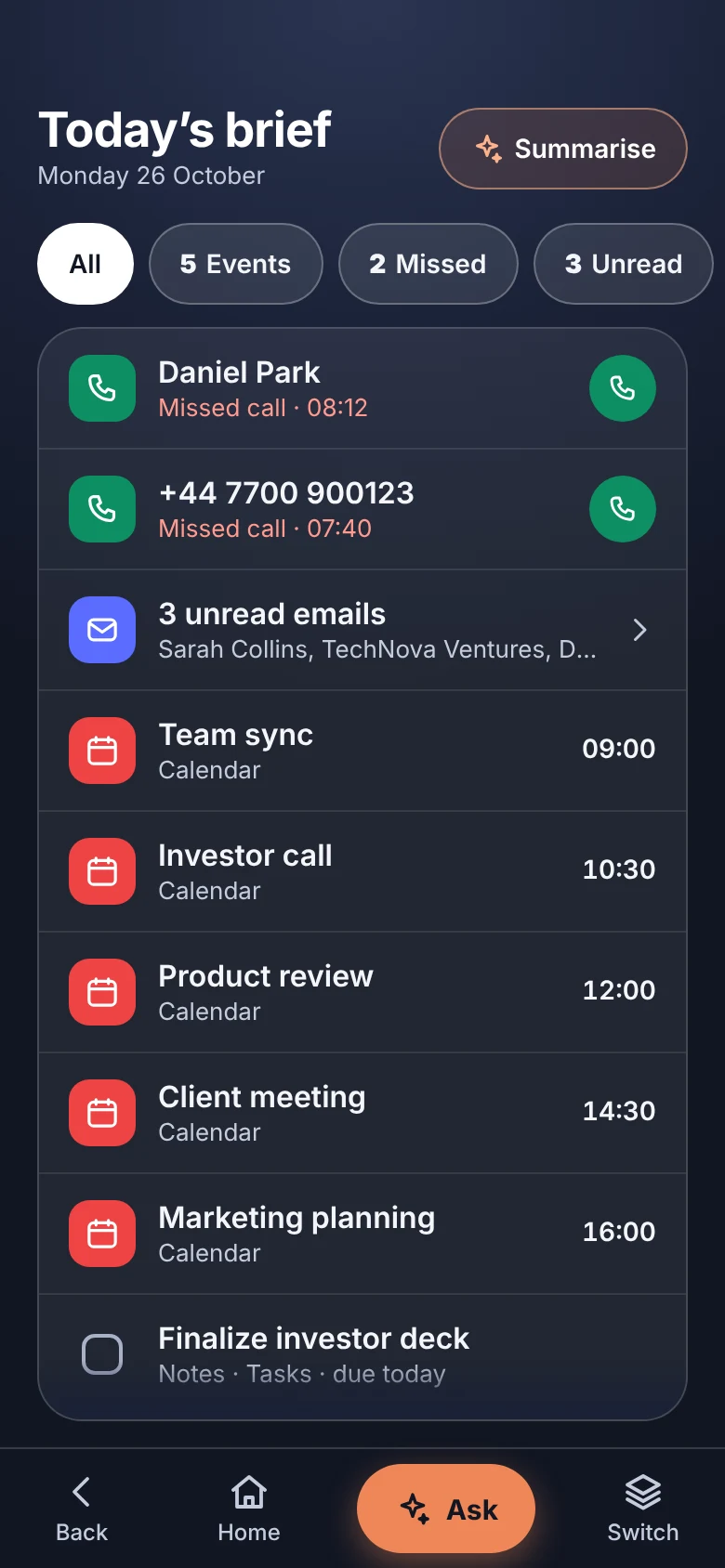
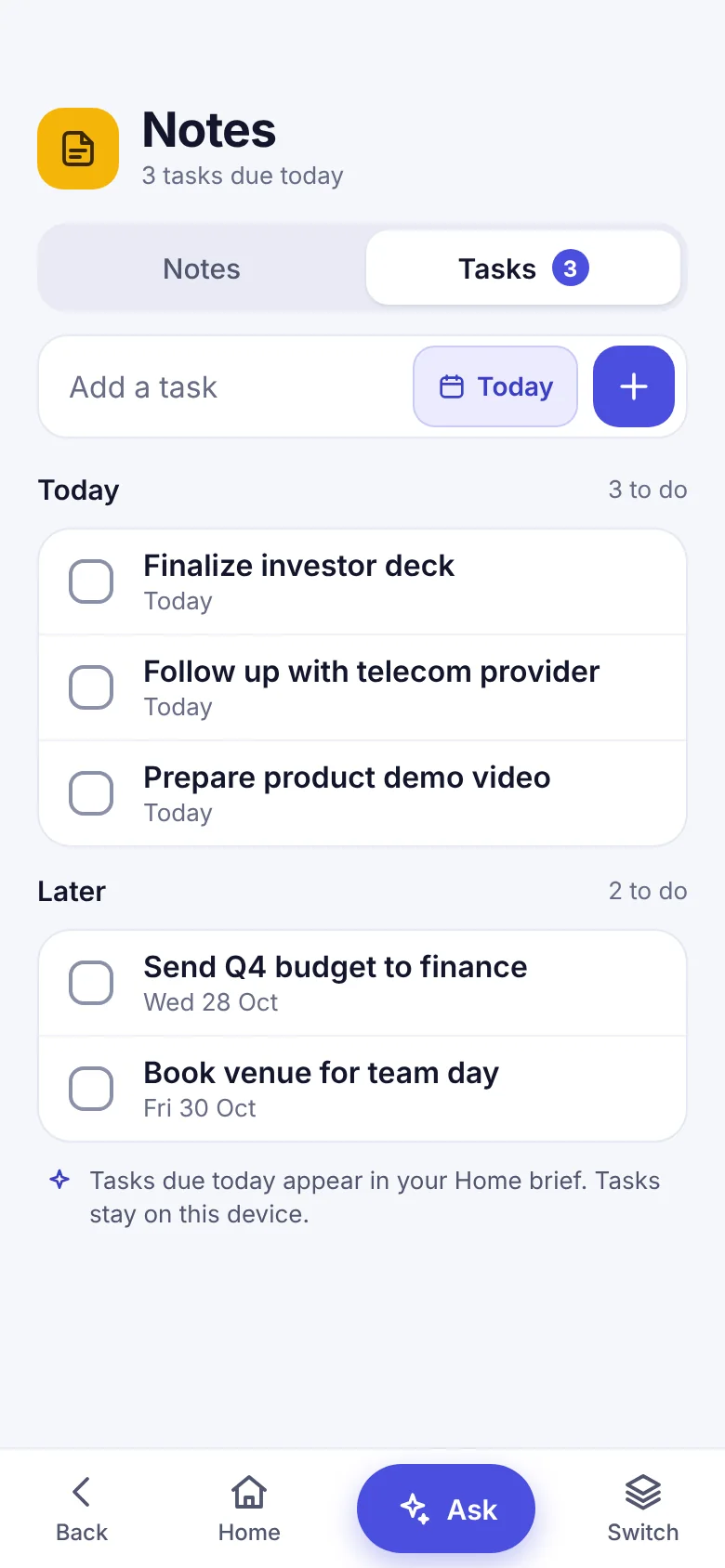
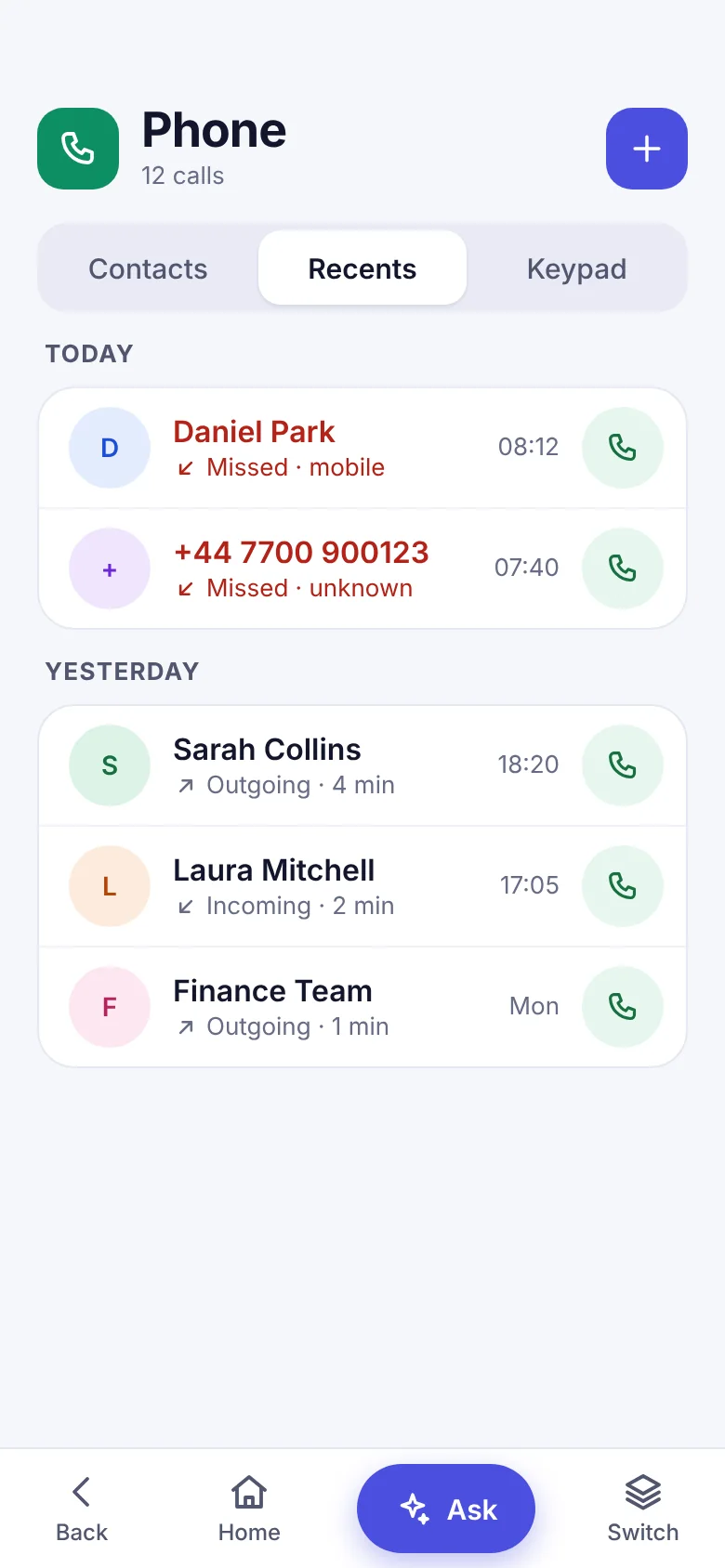
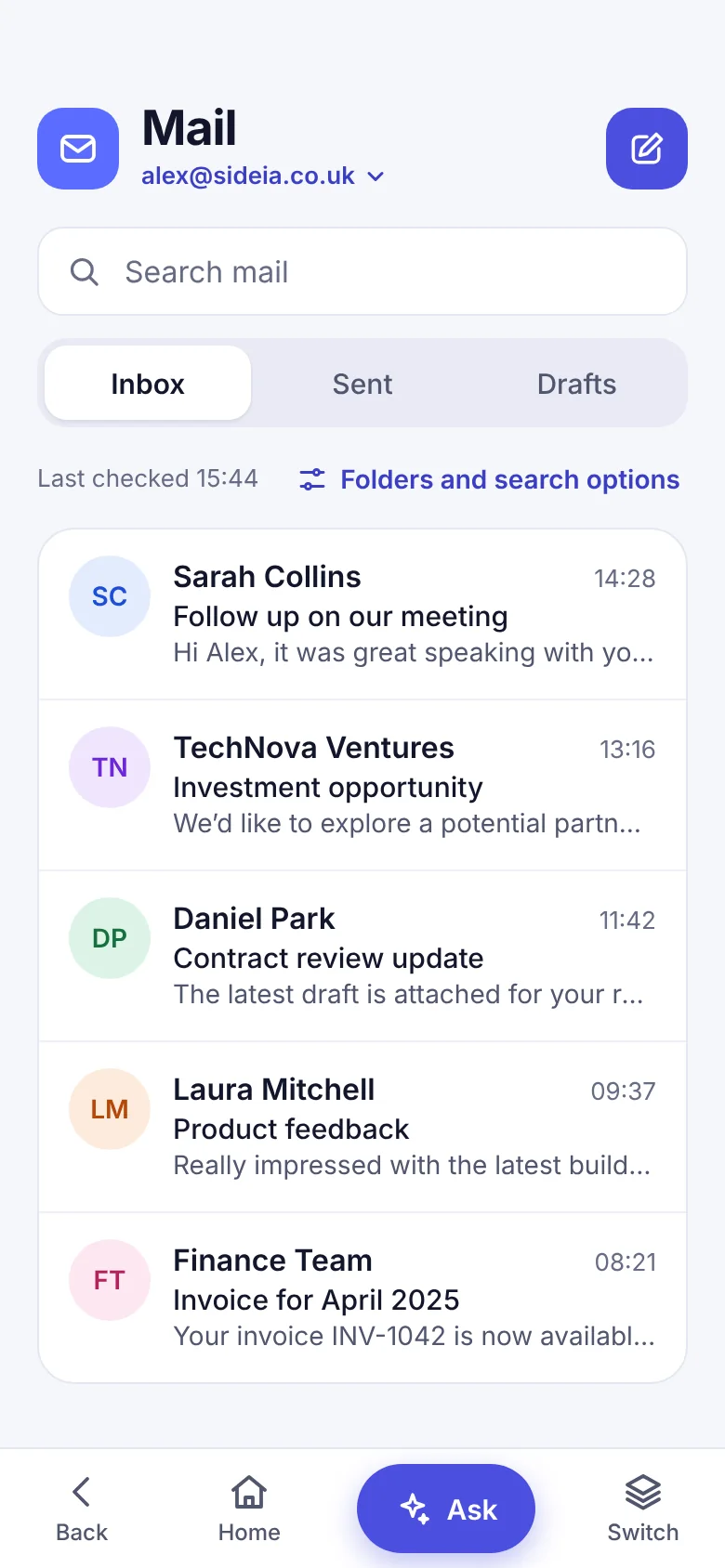
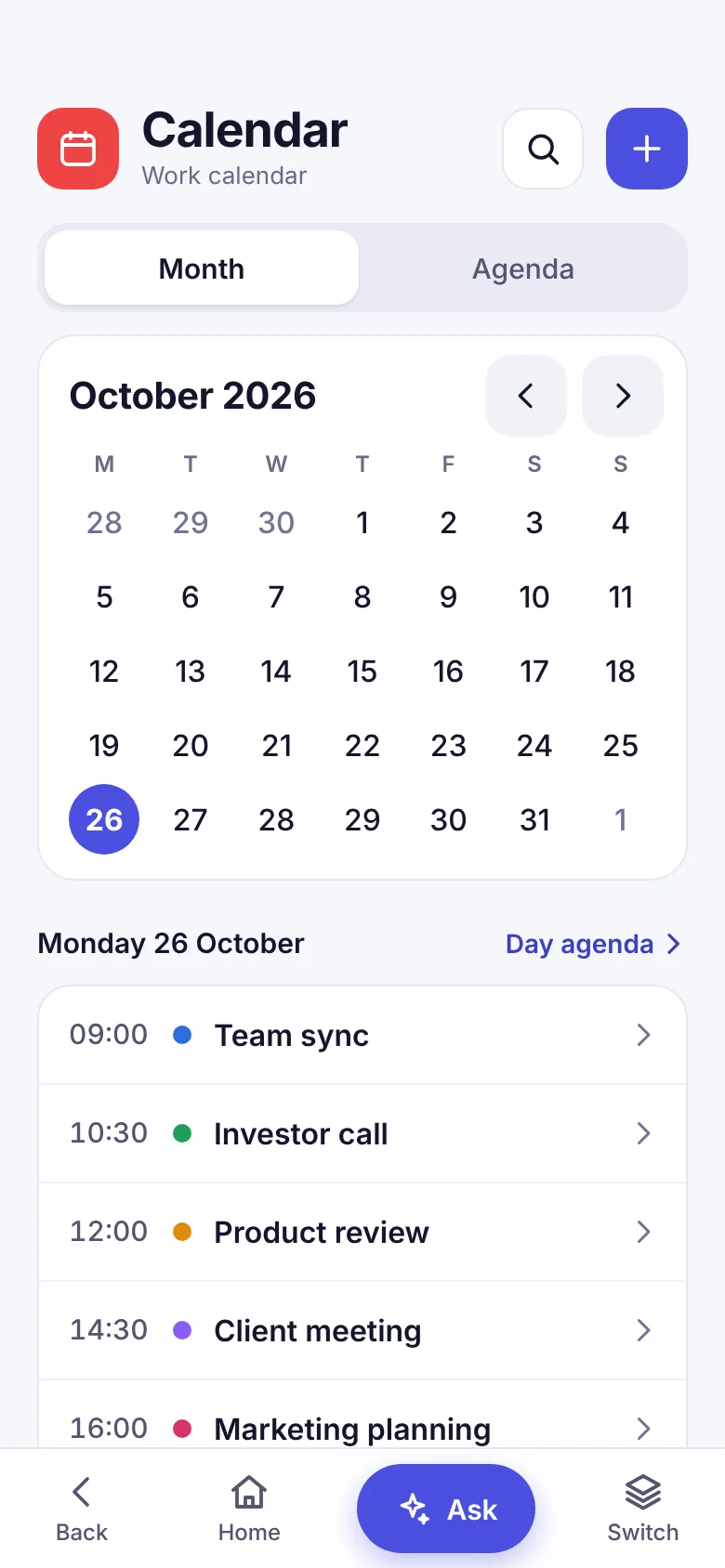
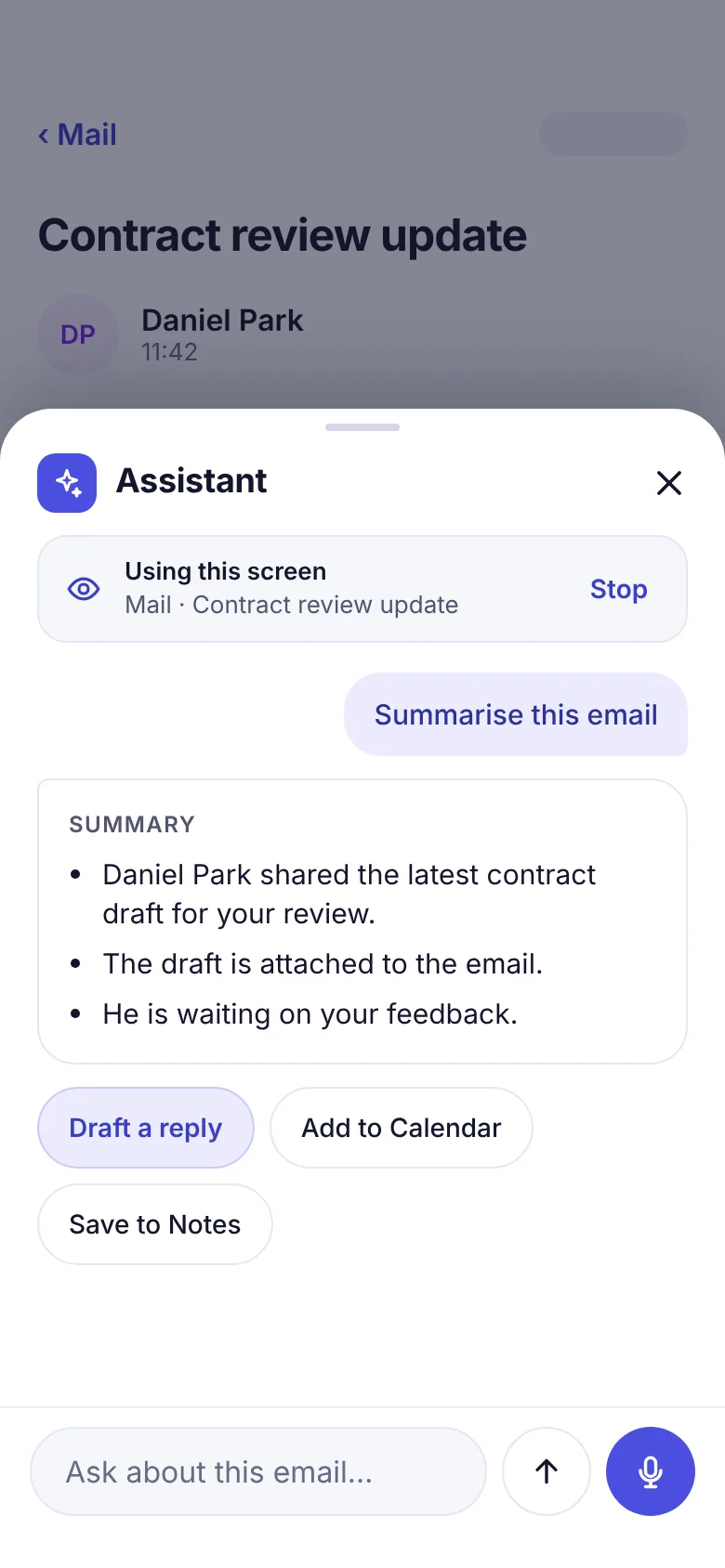
These screens come from the current prototype design. Linzo is pre-launch, so features and the interface may change before launch.
The assistant Prototype
One assistant that works across every module.
Ask from any screen. The assistant reads the screen you are on as text, and can act in your mail, calendar, contacts, notes, tasks and files, because they are all part of the same workspace.
Why this works here
On a personal phone, your apps come from different companies. An assistant can only reach what each app chooses to share, so it usually stops at the edge of one app. In Linzo the modules are built together, so the assistant can follow you from an email, to your calendar, to a task, without you leaving the screen.
- Mail
“Summarise this email.”
Gets the key points. Drafts a reply you review before sending.
- Calendar
“Add the follow-up call on Thursday at 2pm.”
Creates the event. A missing end time defaults to one hour.
- Phone and contacts
“What is Sarah's number?”
Finds the contact and shows the details.
- Notes and tasks
“Remind me to send the updated figures.”
Adds a task that appears in your daily brief.
- Files
“Open the latest budget file.”
Finds the file in your workspace and opens it.
You stay in control
- Nothing is shared with the assistant until you allow it.
- It shows what it is using, with a Stop button.
- It drafts. You press Send. It never sends email or messages on its own.
- It reads the screen as text, never as a screenshot.
The assistant is a prototype in development and is not in Early Access builds. Examples and controls show planned behaviour, not shipped features, and may change.
For business
A work phone for every member of your team, without buying a single handset.
Give people a clean line between work and home on the phones they already own. No handsets to buy, configure, post out or get back when someone leaves.
No hardware budget
Nothing to buy, replace or insure. Each person keeps one phone and gets a separate work workspace on it.
Work stays in work
Calls, messages, email, calendar, contacts, files and photos for the job sit in one workspace, away from personal apps and photos.
People can switch off
Staff lock the workspace at the end of the day, so work stays behind its own PIN instead of following them home.
Planned for businesses Planned
Calls that file themselves.
Each person works from their Linzo work number. Calls they make and receive for work are meant to be logged in your CRM automatically, so nobody has to type up the call afterwards. A CRM is the system a sales team uses to keep track of customers, such as Salesforce or HubSpot.
A call on the work number
A team member makes or answers a call on their Linzo work number. Personal calls stay on their personal number.
ExampleIncoming call, 4 min 12 sLinzo logs it
The caller is matched to a contact by phone number. The time, length and outcome of the call are recorded.
ExampleContact matched. Outcome: connectedThe assistant drafts the notes
Where your business allows it, the assistant drafts a summary and a follow-up. The team member reviews it before anything is saved.
Example“Interested in 3 locations. Follow up Friday.”It lands in your CRM
The call, note and follow-up task are added to the right contact or deal in your CRM, such as Salesforce or HubSpot.
ExampleCall note, plus task: Follow up Friday
The examples above are illustrations, not real calls or customers. Salesforce and HubSpot are trademarks of their owners and are named only as examples of CRMs. No partnership or approval is implied.
What we plan to build, in order Planned
Start with control, then connect, then add insight.
Work lines and control
- A work number for each person
- A company admin to add, suspend and reassign people and numbers
- Call history with length and outcome
Your CRM, filled in for you
- Calls logged against the right contact or deal
- Notes written in Linzo appear in your CRM
- Customer details shown when they call
- HubSpot and Salesforce are the first we are looking at
Calls, summarised
- Transcripts and summaries, only where the law allows and with notice
- Follow-up tasks drafted from the call
- Simple reports on call activity for managers
The order shows what comes first, not dates. Plans may change as we learn what businesses need.
Planned for businesses Planned
One place to run it.
An admin console for the people who look after the team. It works on its own, with or without a CRM.
- People. Add, suspend, remove and reassign team members.
- Numbers. Give each person a work number. When someone leaves, the number stays with the business.
- Rules. Choose which apps and AI features are on, and whether calls are logged or summarised.
- CRM link. Optional. Connect once, match people to their CRM users, and see anything that failed to sync.
- Your records. Usage and an audit trail, with export of your call and usage data, so your data is never stuck with us.
Built around consent
- People are told what is logged.
- AI summaries are drafts that a person reviews first.
- Recording and transcripts only where the law allows, with notice, and only if your business turns them on.
- Linzo is not planned to manage the whole phone. It manages the work workspace only.
Who it suits
- Sole traders and freelancers who want a work number and inbox that stay separate
- Small teams who would rather not issue phones
- Field and customer-facing staff who use their own handset for work
Where we are today
Linzo is being built for individuals first. The business features on this page are planned, not built, and they are not in Early Access builds. Tell us what your business would need and we will plan around it.
How it is intended to work
Set it up once. Open it when you work.
Install on your phone
Linzo is planned for both iOS and Android, on the phone you already own. There is no second device to buy or carry.
Set your own boundary
Create a separate workspace and protect it with its own lock.
Work from one place
Keep the work functions you need together, then close the workspace when you are done.
A different category
More than a second number. Less hassle than a second phone.
| Physical work phone | Second-number app | Linzo | |
|---|---|---|---|
| Separate work number | Yes | Yes | Planned |
| Calls and messages | Yes | Usually | Planned |
| Separate email / contacts | Yes | No | Planned |
| Separate files / photos | Yes | No | Planned |
| Separate browser sessions | Yes | No | Planned |
| Another handset to carry | Yes | No | No |
Linzo capabilities shown as planned are in development, not commercially available features.
Built to be locked
Work stays behind its own door.
Your Linzo workspace has its own lock, separate from your phone's. Open it when you need it and close it when you do not.
- Its own PIN, set by you
- Optional fingerprint or face unlock
- Auto-lock after the time you choose
Early Access
Help shape Linzo before launch.
Register your interest and tell us a little about your current work-phone setup. There is no payment and no commitment.
Early Access
You’re in.
Thanks for registering your interest in Linzo.
Good questions
Before you register
Is Linzo just a second-number app?
No. Linzo is intended to create a broader separate workspace with communications, accounts, files, photos, browser sessions and other everyday functions.
Can I use it on iPhone and Android?
Both platforms are planned. Some functionality may differ between iPhone and Android and may depend on third-party services.
Are you taking payment now?
No. Early Access is a registration of interest only. Pricing research is collected separately in the questionnaire.
How much will it cost?
We have not confirmed pricing. The Linzo concept survey asks what you would expect to pay each month, and your answers help shape it. Nothing is charged now.
Can my business use it for a team?
Business features are planned but not built yet. Linzo is being built for individuals first. The plan includes an admin console for adding and managing team members and work numbers, and calls that log themselves in your CRM. None of this is in Early Access builds, and plans may change. Tell us what your team would need in the Early Access questions or the survey.
Will it work with my CRM?
We plan to connect to CRMs, starting with the ones businesses use most, such as HubSpot and Salesforce, but nothing is built or confirmed yet. The idea is that work calls on a Linzo number are logged against the right customer for you. We would like to hear which CRM you use.
What can the assistant do?
It is a prototype in development, planned to help across mail, calendar, contacts, notes, tasks and files: summarise an email, draft a reply for you to review, find a contact, add an event, add a task or find a file. It is not included in Early Access builds, and its scope may change.
What happens with my details?
Your information is used to manage Early Access and pre-launch research. Read the Privacy Notice for details.